Every video.
No ads.
PlayMint is a fast, beautiful video player for Android. Full-screen Shorts, background play, and one-tap downloads up to 1080p. No account, no ads, nothing in your way.
Android 8.0 or newer. Installs in seconds, updates itself.
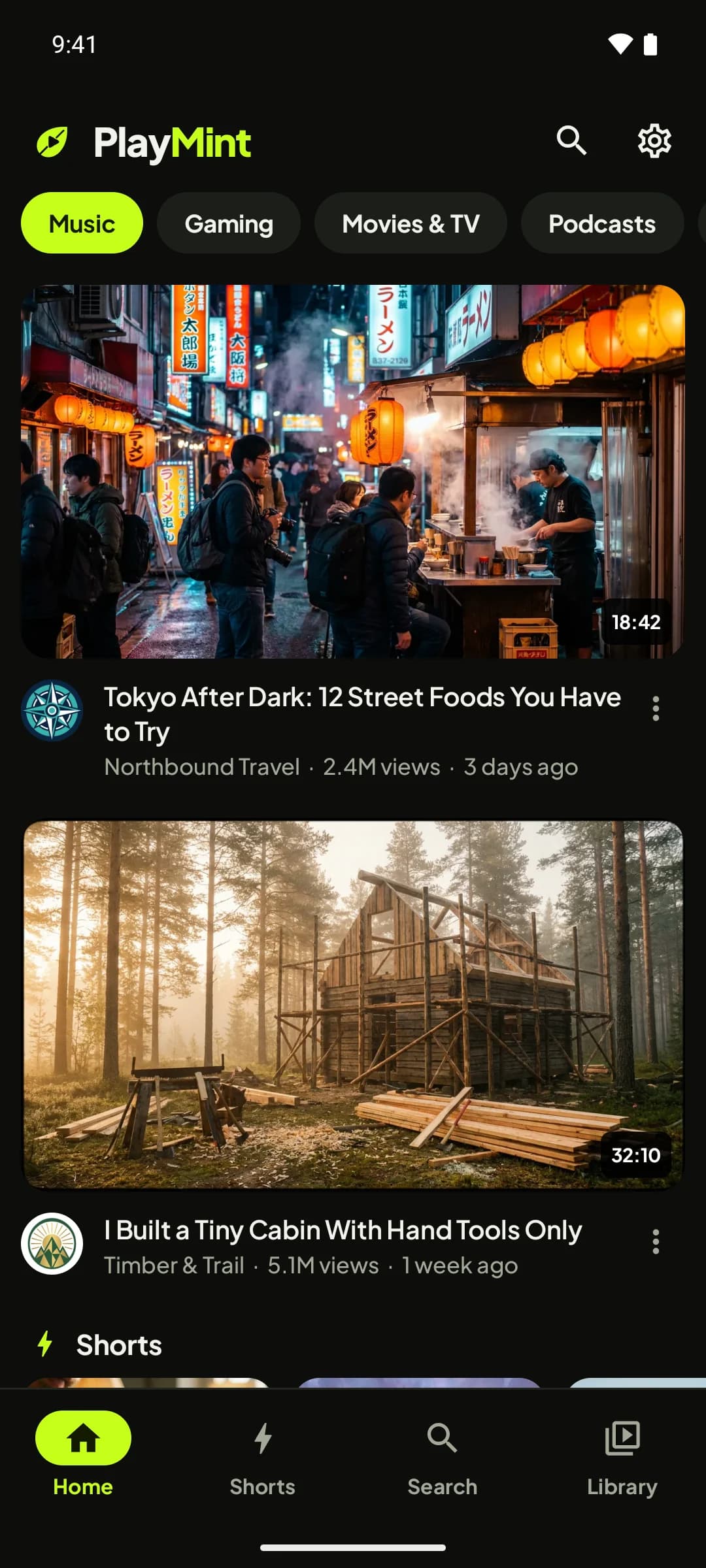
See PlayMint in action.
About a minute. Turn the sound on.
Everything you watch, better.
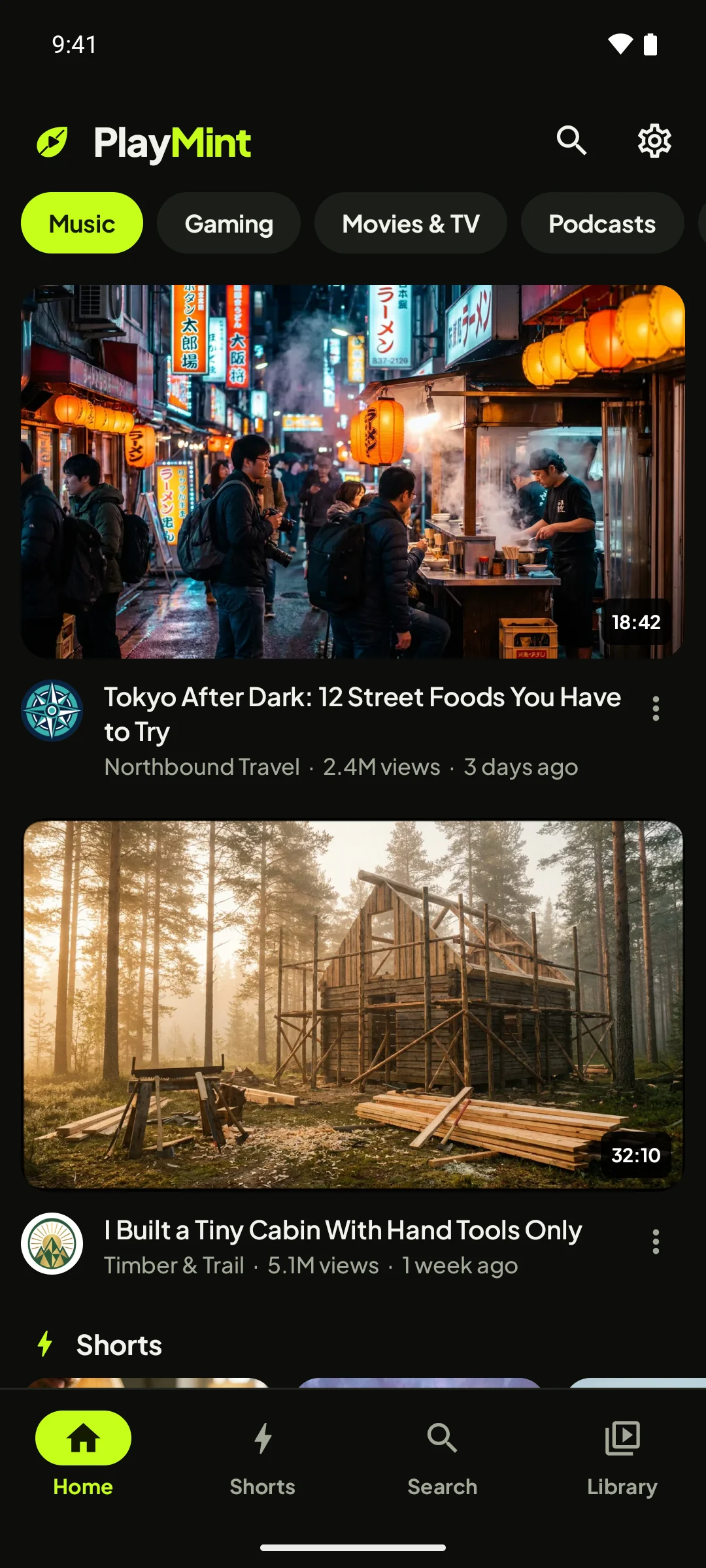
All the good parts of watching on your phone, and none of the interruptions.
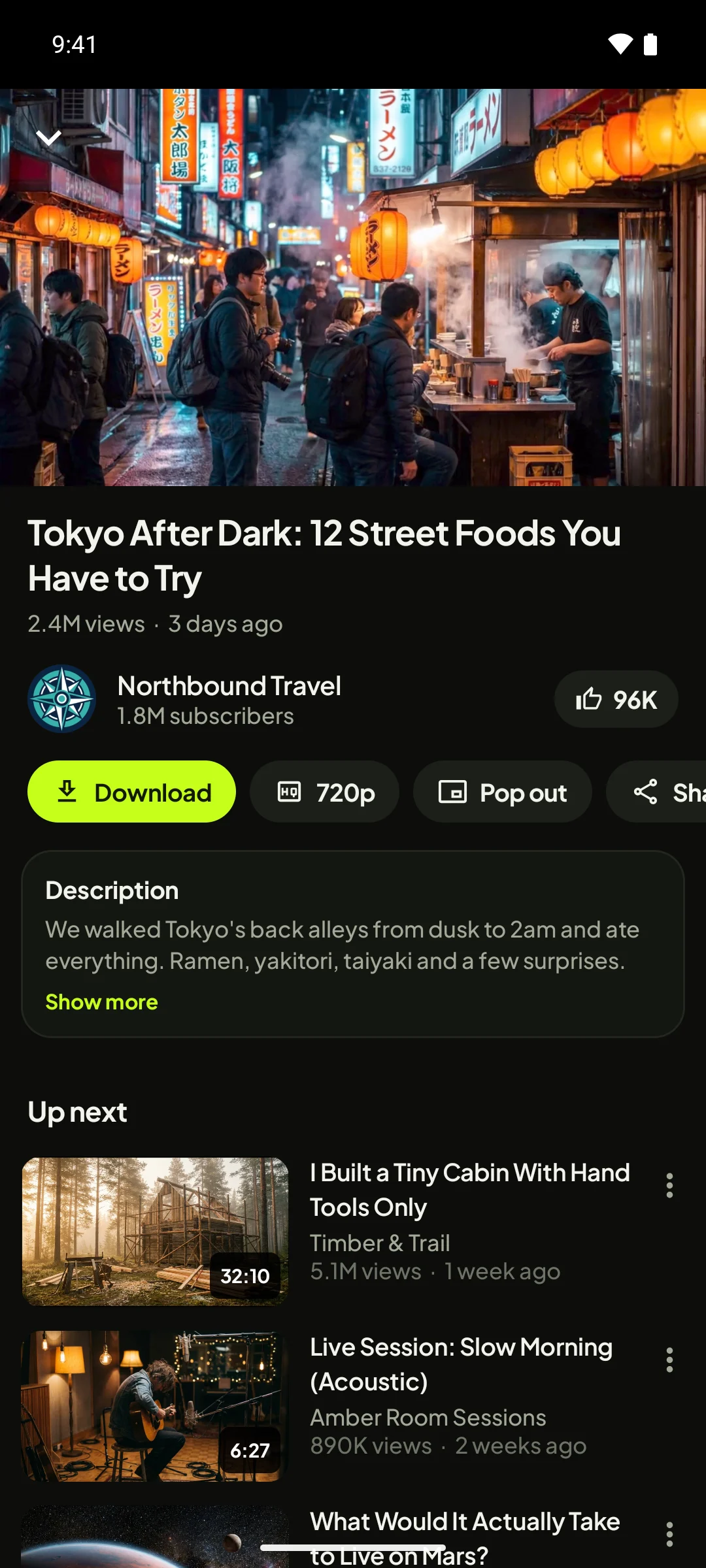
Press play. It just plays.
No pre-rolls, no banners, no sponsored slots between videos. PlayMint streams the video itself, in the quality you choose.
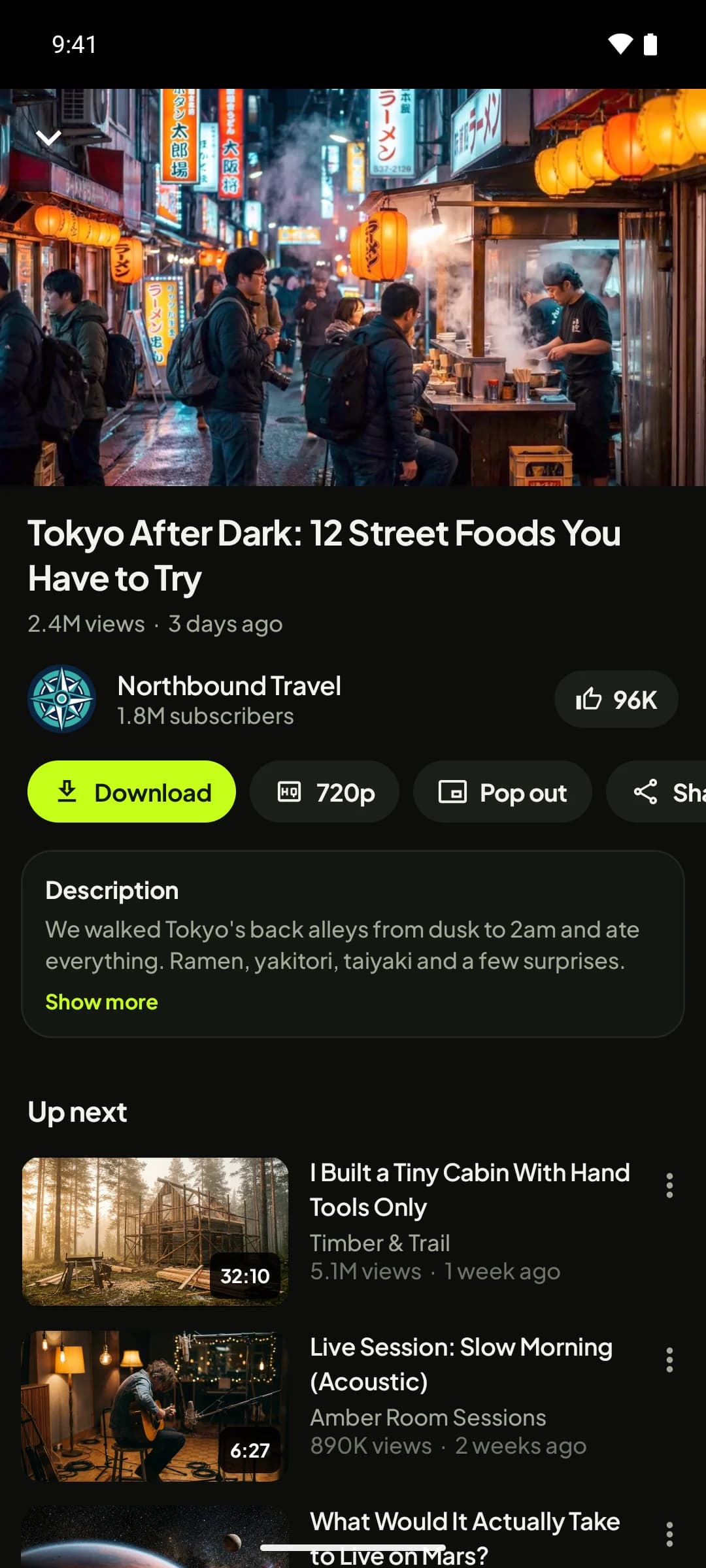
- Starts instantly
No ads before, during or after the video. Ever.
- One-tap download
Save the video or just its audio to watch offline.
- Your quality
Pick anything from 144p up to 4K.
- Pop out
Keep watching in a floating window over other apps.
- Full details
Description, likes and what's up next.
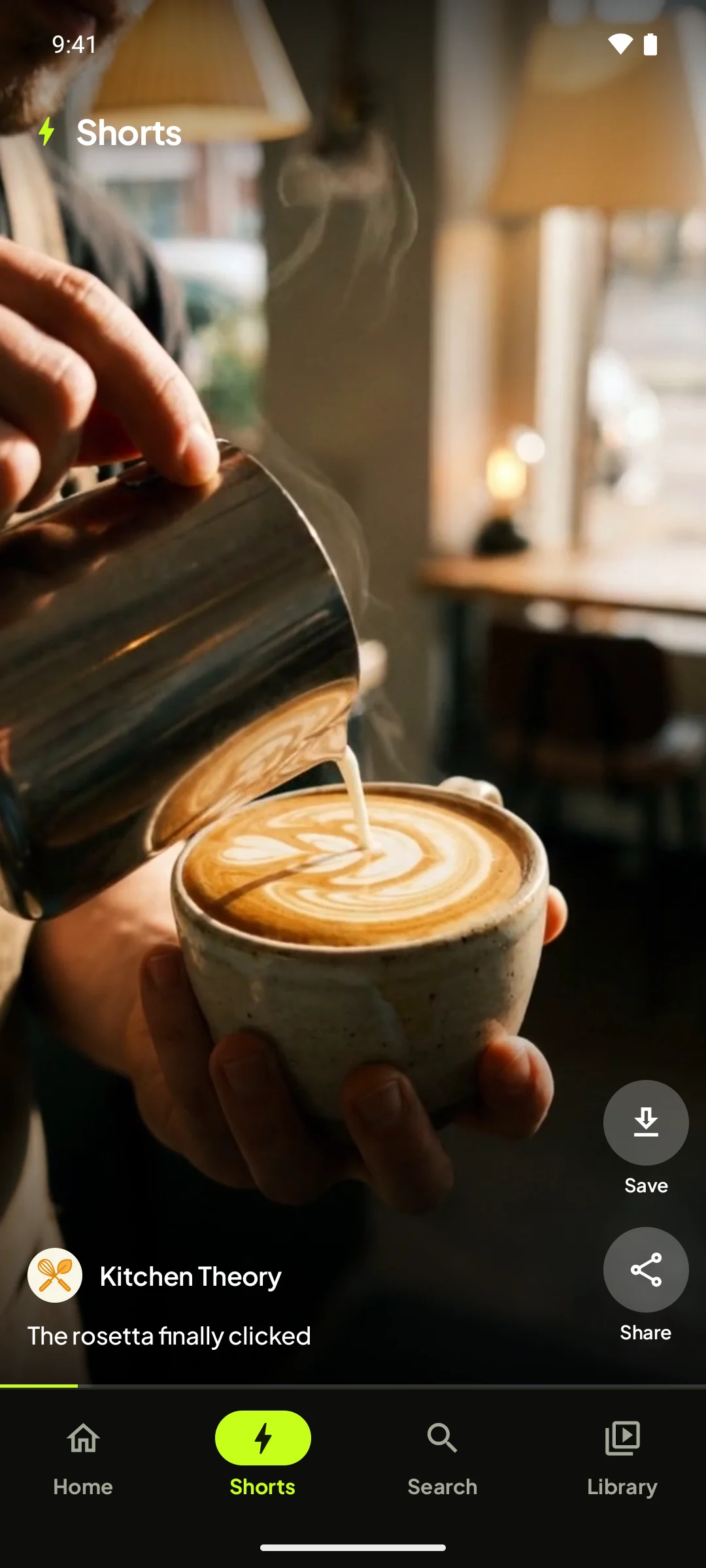
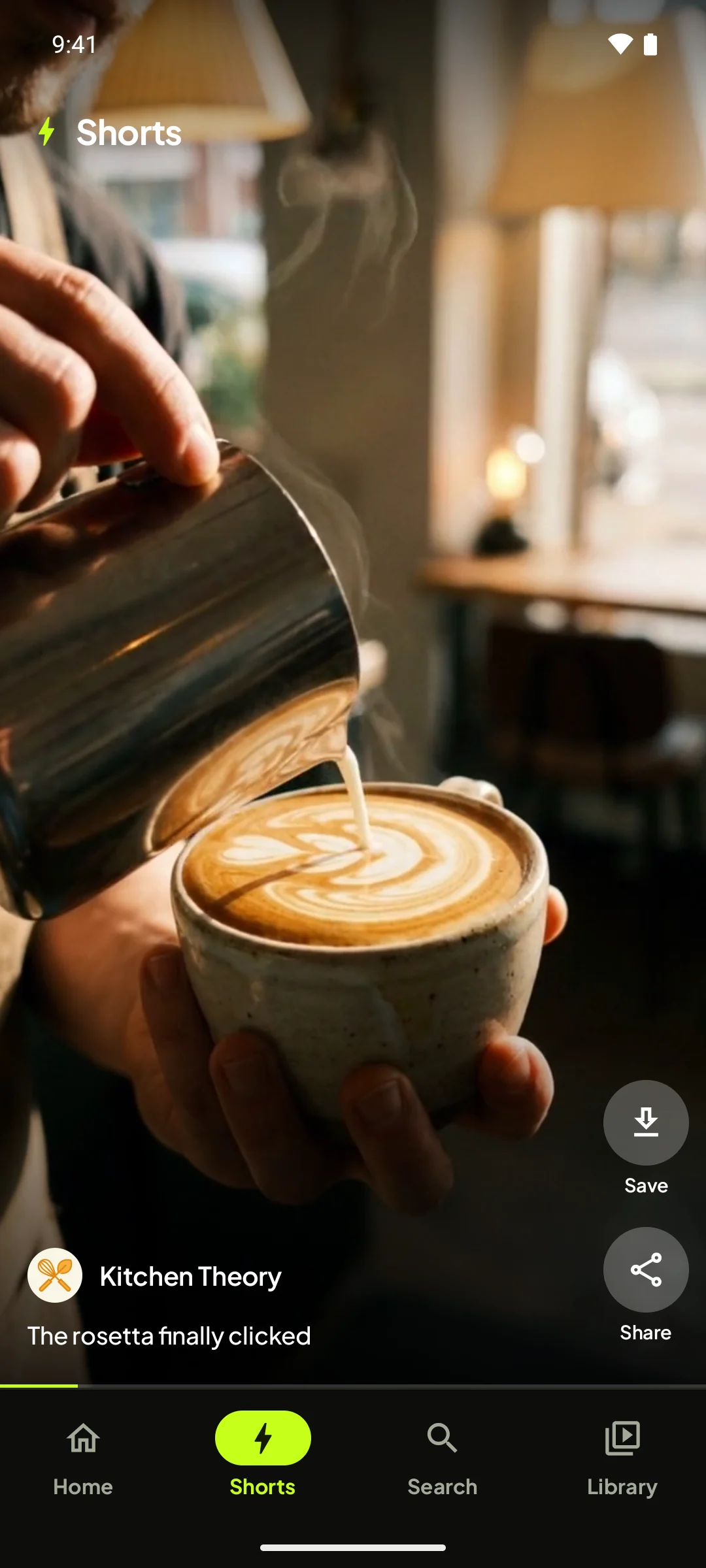
Swipe through Shorts, edge to edge.
A full-screen vertical feed that starts instantly and loops, with the next clip already loading behind the scenes.
- Full screen, no clutter
Swipe up for the next one. Tap to pause.
- Save any Short
Download it in HD with one tap.
- Share it
Send the link to friends in any app.
- Who made it
Channel and caption right where you expect them.
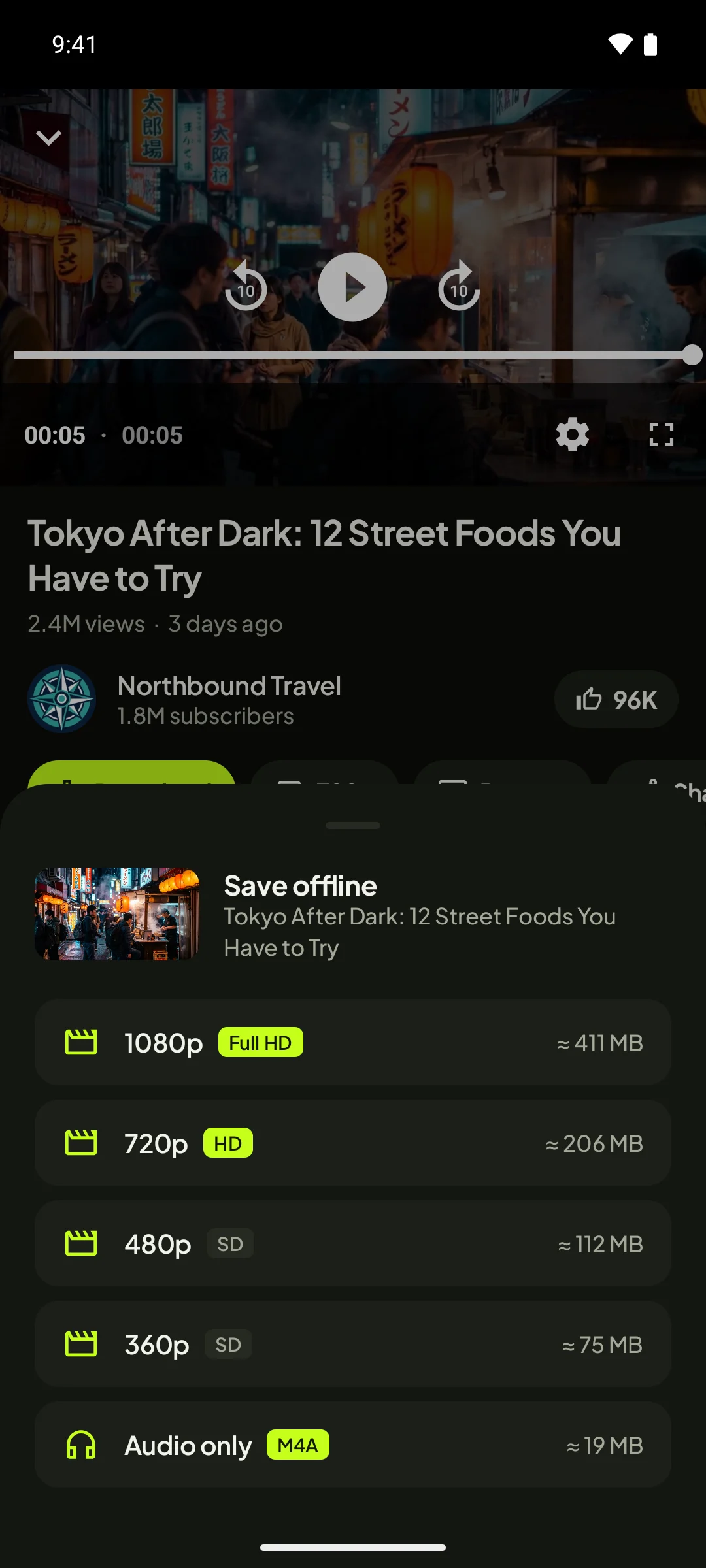
Save anything for later.
Choose a quality and see the file size before you download. Videos save as MP4 and land in your gallery.
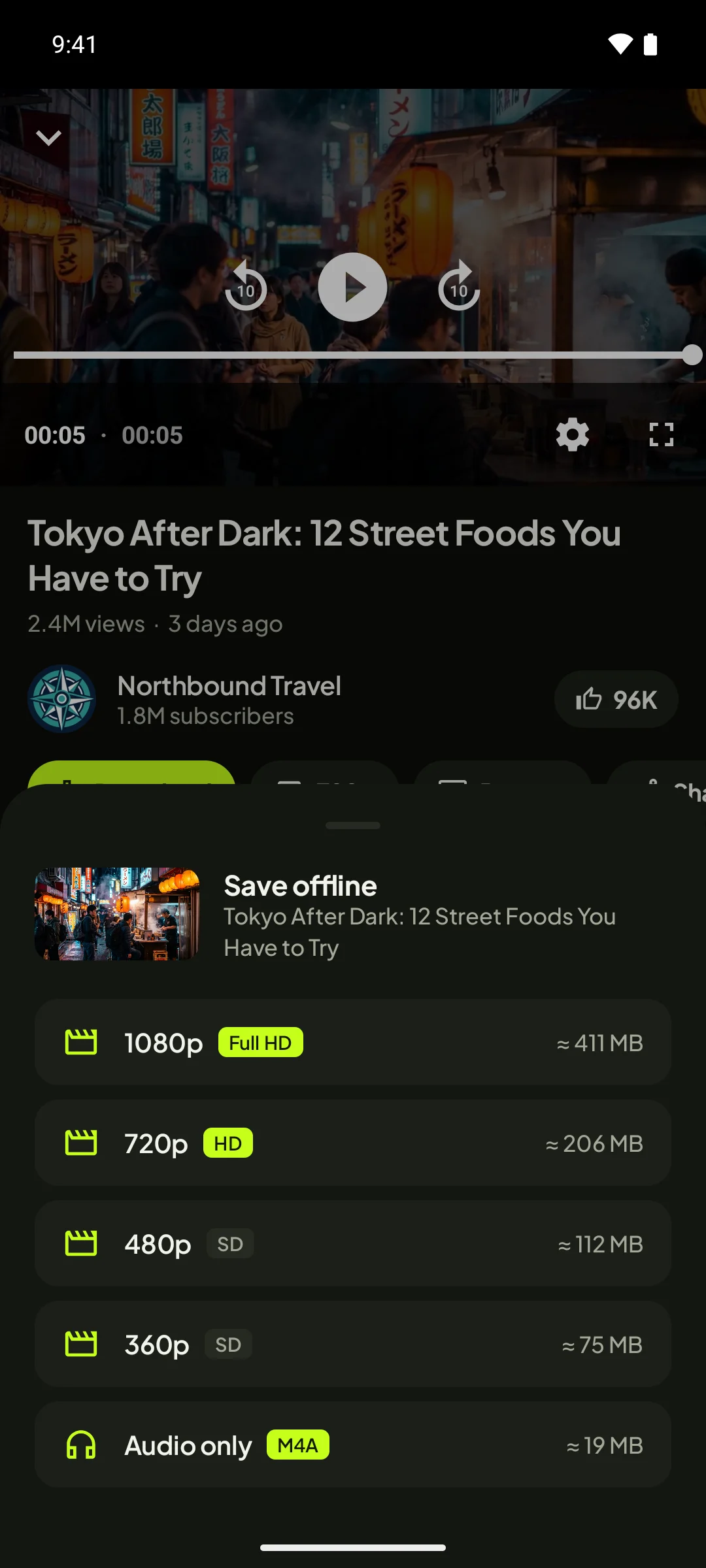
- Save offline
Watch on a flight, a train or anywhere without data.
- Up to 1080p
Full HD, HD or smaller files to save space.
- Size shown upfront
Know exactly how much space it takes before you tap.
- Audio only
Grab just the sound as M4A for music and podcasts.
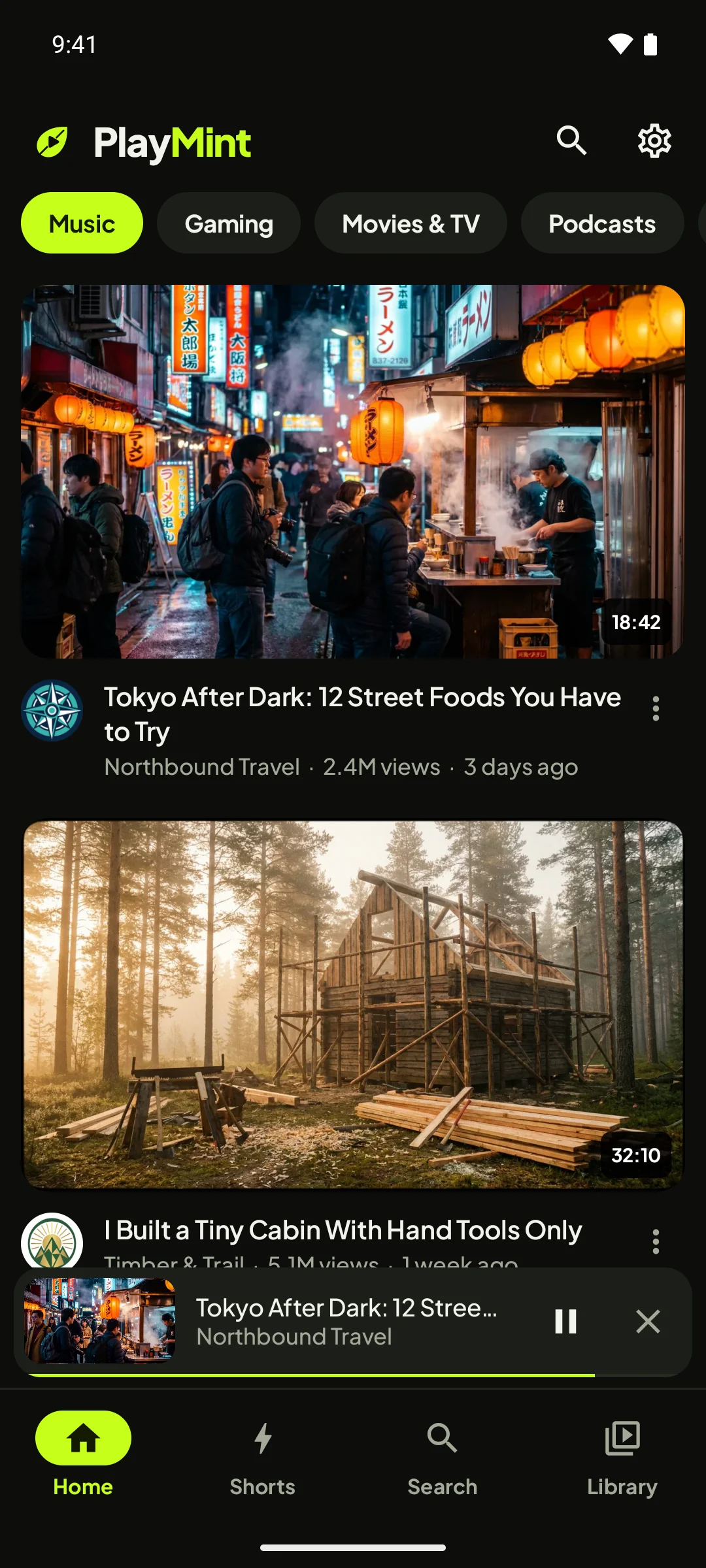
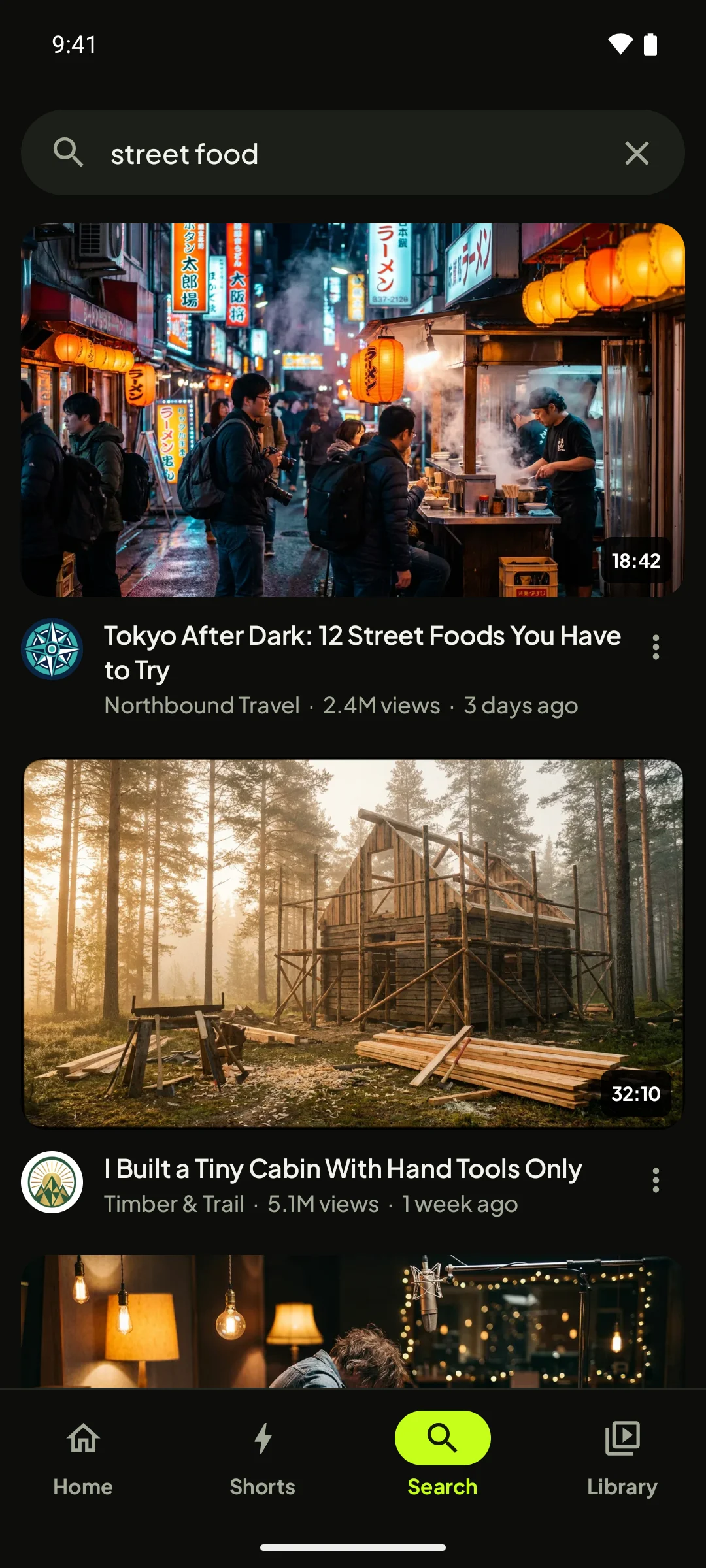
Browse while it plays.
Swipe a video down and it keeps going in the mini player. Lock your phone and the audio carries on, with controls in your notifications.
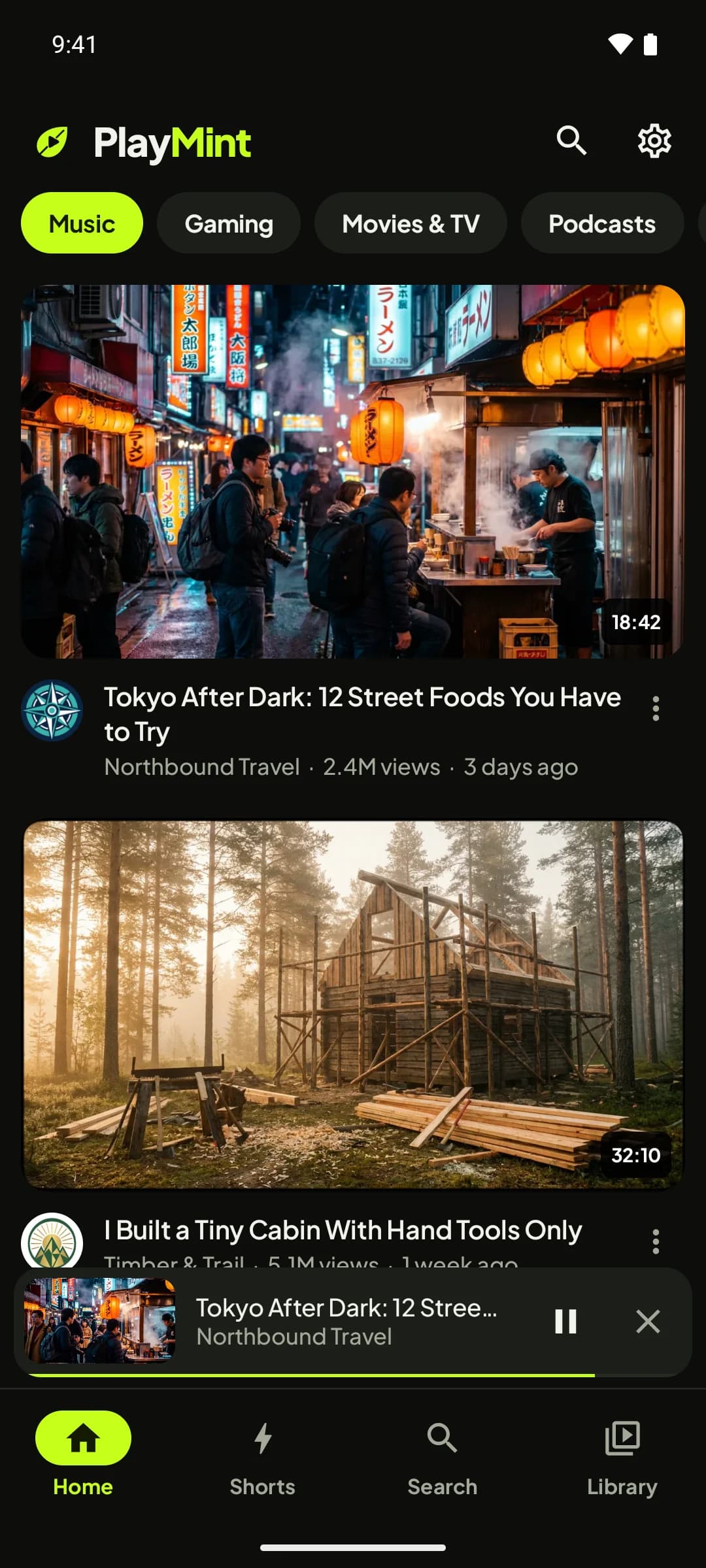
- Browse by topic
Music, Gaming, Movies & TV, Podcasts and Live.
- Mini player
Your video keeps playing while you look for the next one.
- Control from anywhere
Pause, resume or close without leaving the page.
- Background play
Lock the screen and keep listening. Controls live in your notifications.
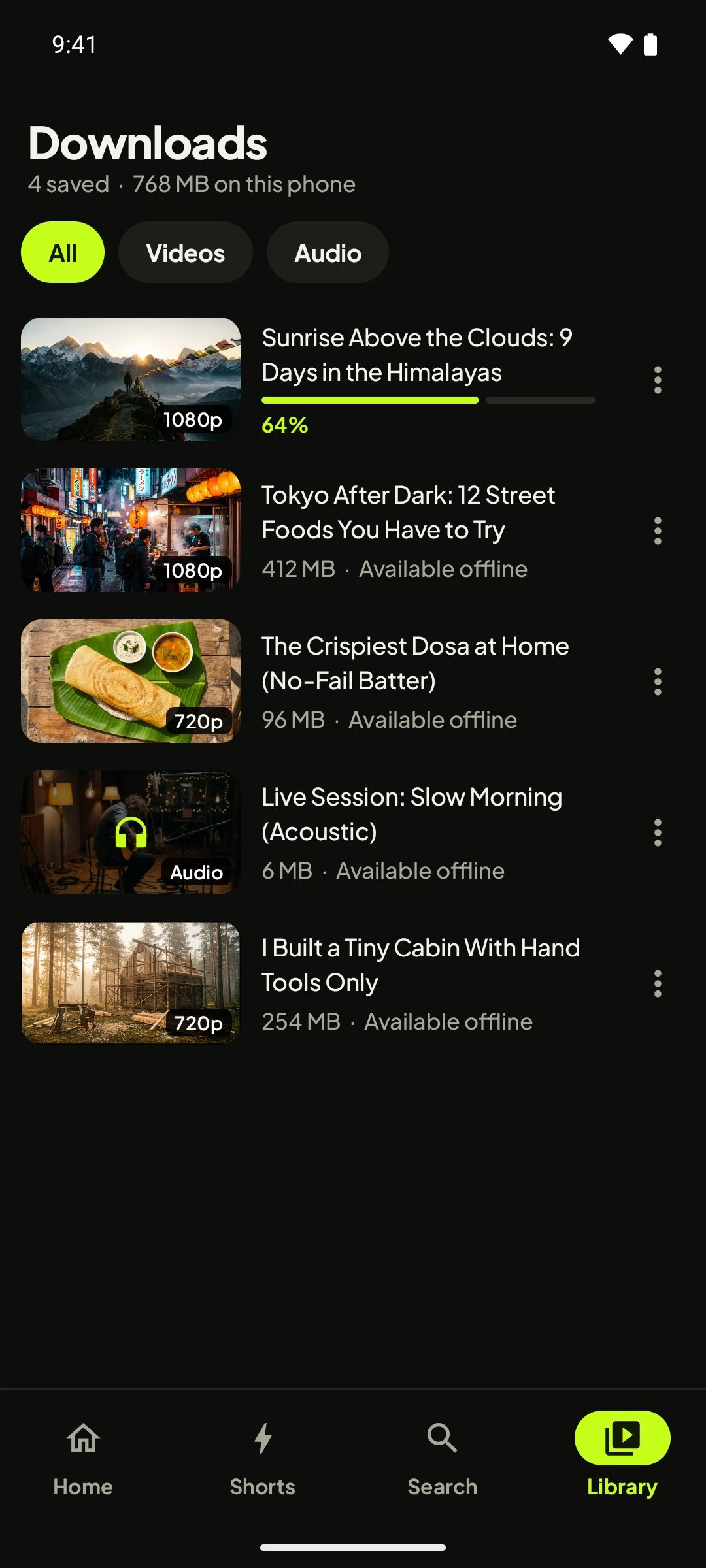
Everything you saved, in one place.
Downloads run in the background, even when you close the app. Filter by video or audio and play anything offline.
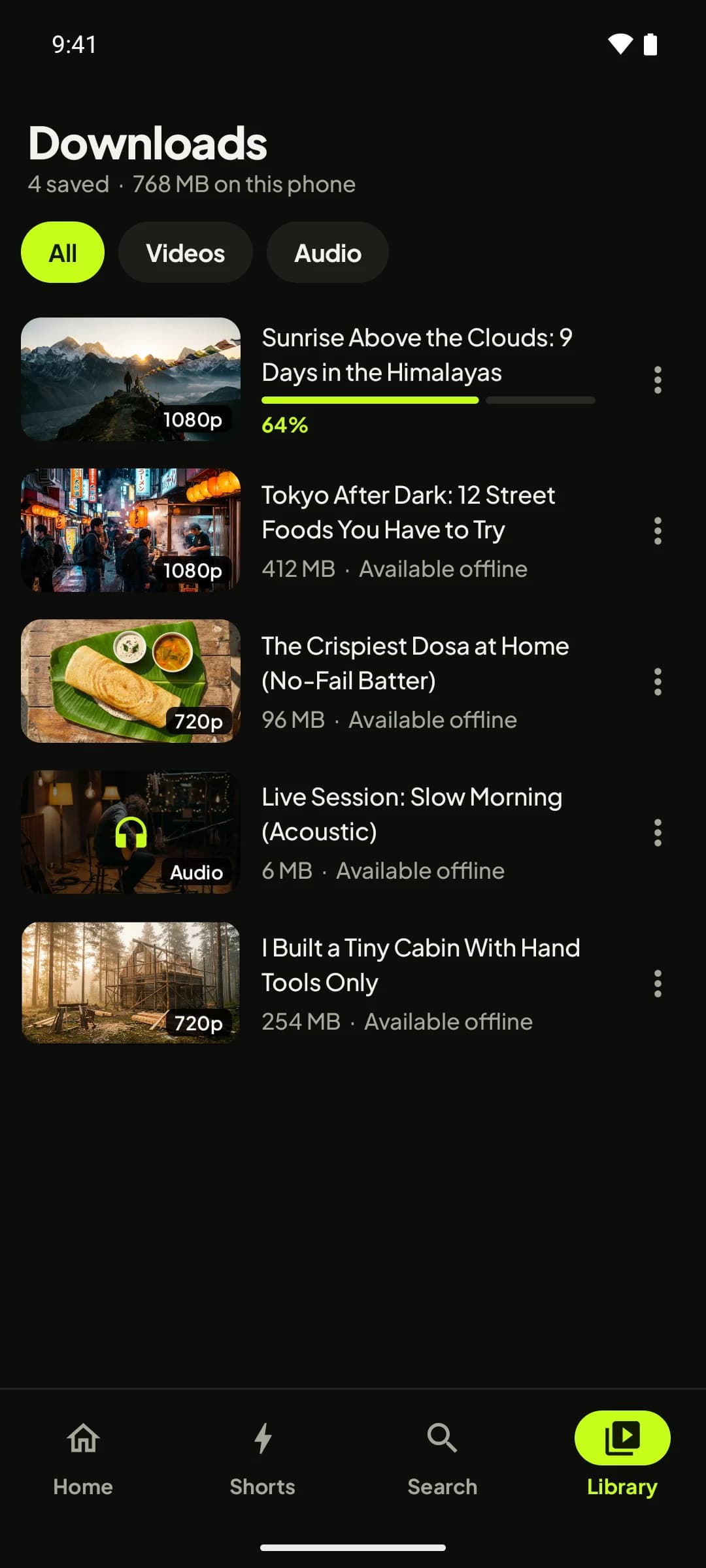
- Storage at a glance
See how much space your downloads use.
- Filter
Jump to just videos or just audio.
- Live progress
Downloads keep going in the background.
- Ready offline
Tap to play instantly, no internet needed.
Every video.
No ads.
Shorts, downloads, background play and more, in one tiny app that stays out of your way.
The little things, done right.
Tap Share on any video link in any app and open it here.
Suggestions as you type, recent searches, or paste a link.
Every download in one place, filtered by video or audio.
New versions arrive in the app with one tap. No store needed.
No sign-in, no ad tracking, no data sold. Anonymous crash reports only, and you can turn them off.
Just 4.6 MB. Opens in about a second on most phones.
Up and running in under a minute.
PlayMint installs straight from this site. Android may show a Play Protect notice the first time because the app doesn't come from the Play Store. That's normal: tap More details, then Install anyway.
- 1Download the APK
Tap the download button on your Android phone. The file comes straight from playmint.app.
- 2Allow the install
Open the file. If Android asks, allow installs from your browser or file manager for this one time.
- 3Open PlayMint
That's it. PlayMint will let you know when there's an update, so you never need to come back here.
Questions, answered.
Is PlayMint free?+
Yes. PlayMint is free to download and use. There are no ads, no subscriptions and nothing to unlock.
Why isn't PlayMint on the Google Play Store?+
Google Play doesn't allow ad-free players for video services it owns, so PlayMint is installed directly from this website as an APK file. The app then keeps itself up to date on its own.
Is it safe to install an APK?+
Only install APKs from sources you trust. PlayMint is always downloaded from playmint.app, every release is signed with the same key, and we publish a SHA-256 checksum for each file so you can verify it. Android may show a Play Protect notice because the app isn't from the Play Store; that is expected for any app installed this way.
Do I need an account?+
No. There is no sign-in and no PlayMint account. Your searches, history and downloads stay on your phone. The app sends only anonymous crash and usage reports, which you can switch off in Settings.
Where are downloads saved?+
Videos are saved as MP4 in Movies/PlayMint and audio as M4A in Music/PlayMint, so they show up in your gallery and music apps. You can also play them inside PlayMint without an internet connection.
Can I keep listening with the screen off?+
Yes. Background play keeps audio going when you lock your phone or switch apps, with controls in your notifications. You can also pop a video out into a floating picture-in-picture window.
How do updates work?+
PlayMint checks playmint.app for new versions when it opens. When one is ready you will see what's new and can update with one tap. You can turn automatic checks off in Settings.
Is PlayMint affiliated with YouTube or Google?+
No. PlayMint is an independent app and is not affiliated with, endorsed by or sponsored by Google or YouTube. Downloads are meant for personal offline viewing; please respect creators and copyright.
Watch freely. Save anything.
Free, private and ad-free. Get PlayMint on your Android phone today.